
Description
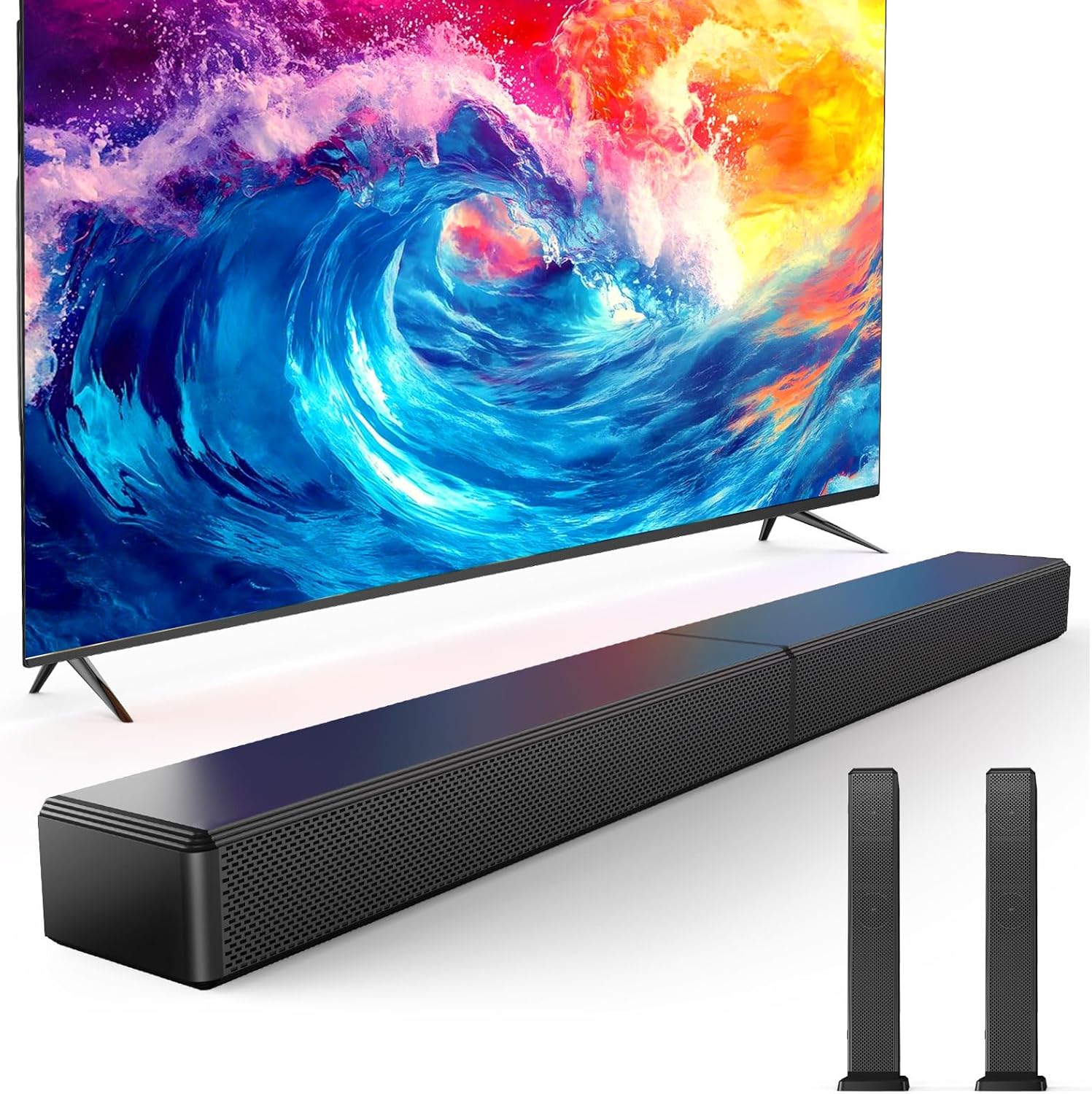
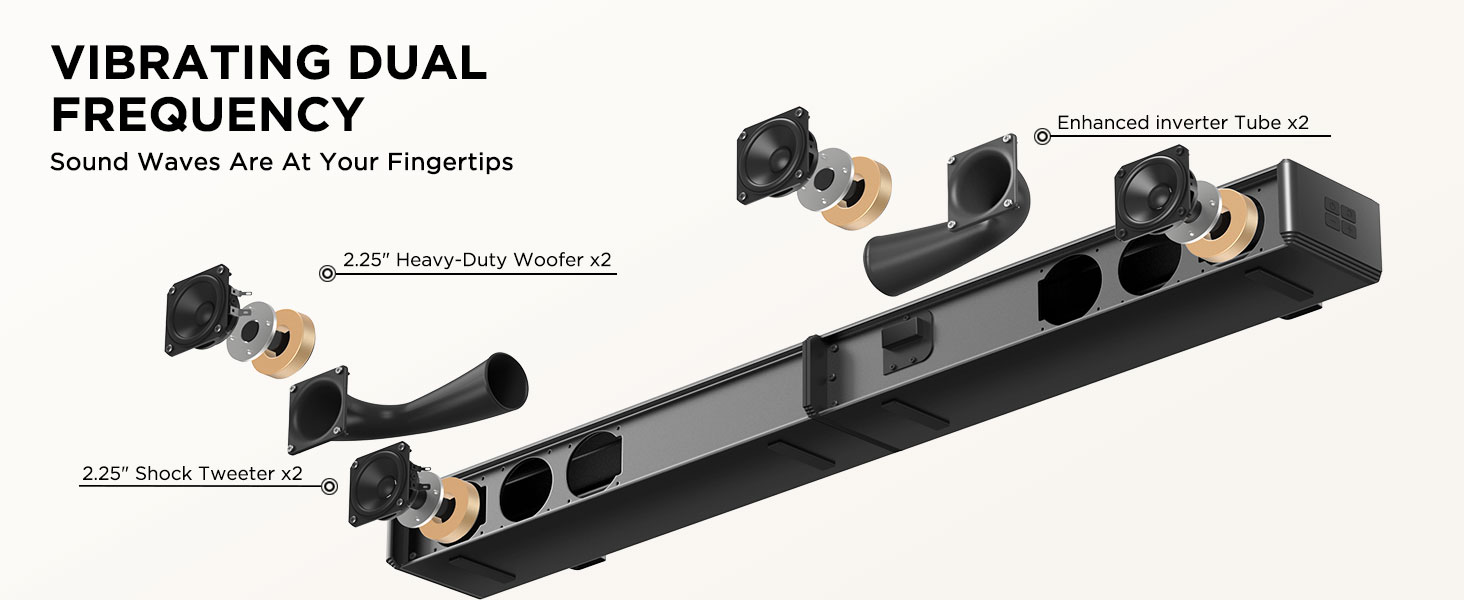
- 100W 2.0ch Cinema Sound :Dual tweeters and dual woofers deliver rich stereo or add an external subwoofer (sold separately)for enhanced bass.
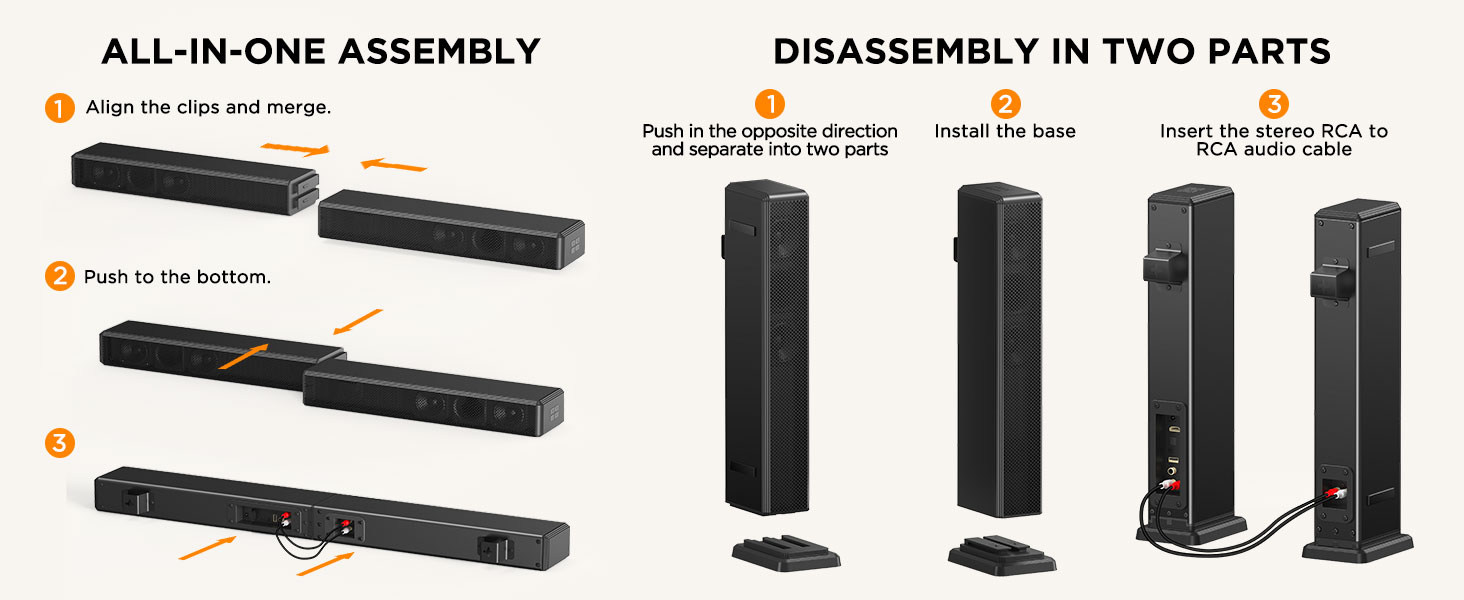
- 2-in-1 Detachable Design & Space-Saver:Can be combined into one unit for use, or divided into two units, which can be flexibly placed to save space
- 3 EQ Modes & DSP Noise Cancellation:Optimize audio for Music/Movie/Gaming. DSP chip removes distortion for crisp dialogue and detailed effects
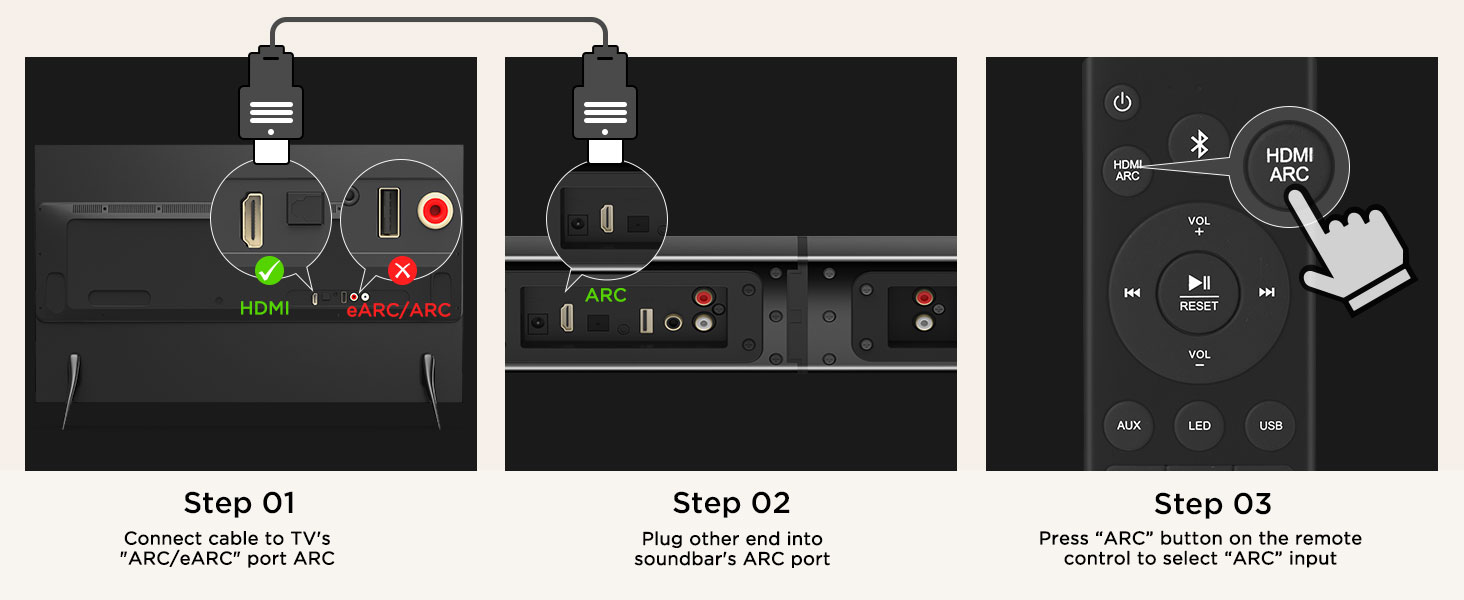
- HDMI-ARC + Bluetooth 5.3 for All Devices:One-click sync with HDMI-ARC; Bluetooth streams music up to 15m. Includes cables for TVs, consoles, and more
- Auto-Connect & Clutter-Free Setup: TV turns soundbar on/off via CEC. Wall-mount or desktop placement, which is ideal for small spaces and gamers.
| Audio Output Mode | Stereo |
|---|---|
| Mounting Type | Wall Mount |
| Enclosure Material | Plastic ABS |
| Speaker Type | Soundbar |
| Color | Black |
| Maximum Range | 15 meters |
| Speaker Size | 26.19 centimeters |
| Speaker Maximum Output Power | 100 watts |
| Frequency Response | 20 KHz |
| Unit Count | 1 Count |
| Item Dimensions D x W x H | 31.2″D x 4.17″W x 2.54″H |
| Number of Batteries | 2 AAA batteries required. |
| Model Number | SL3301 |
| Model Name | SL3301 |
| Built-In Media | 2.0ch Soundbar, HDMI-ARC Cable, Optical Cable, RCA to 3.5mm , RCA to RCA Audio Cable |
| Warranty Description | NO |
| Number of Items | 1 |
| UPC | 653998477950 |
| Manufacturer | Miroir |
| Age Range Description | Adult |
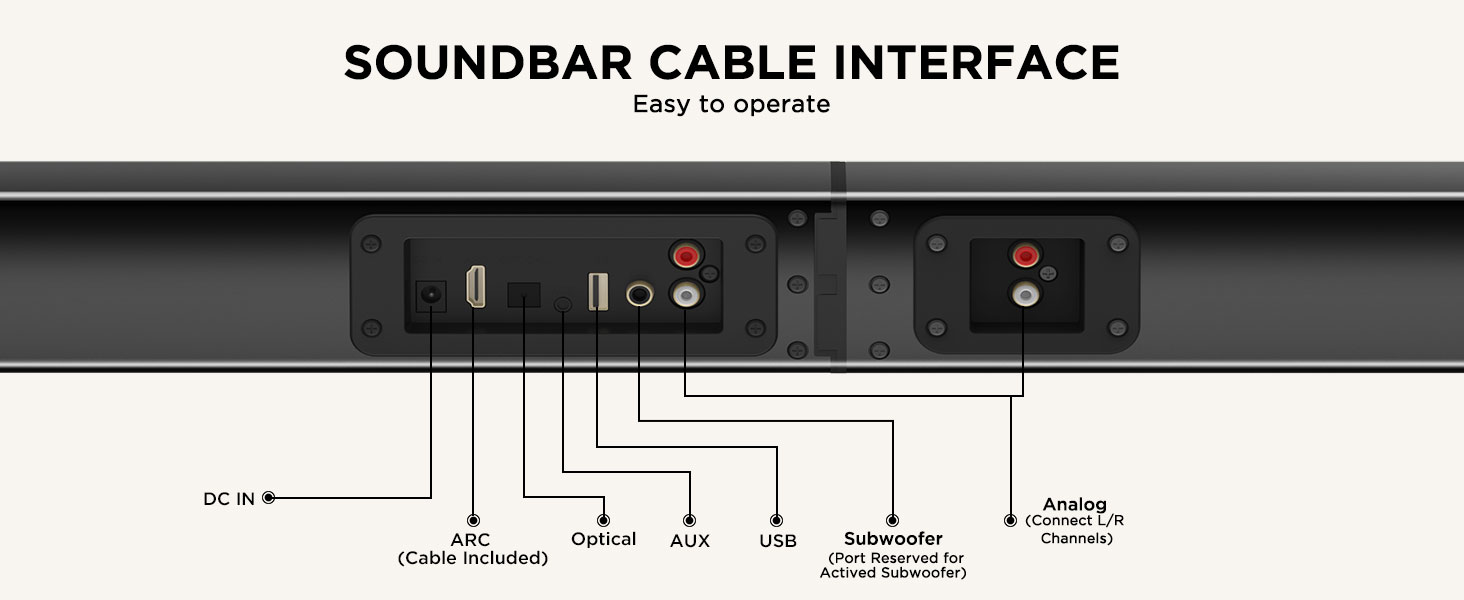
| Connectivity Technology | HDMI-ARC, Bluetooth 5.3, Optical, AUX |
| Audio Driver Type | Dynamic Driver |
| Speakers Maximum Output Power | 100 watts |
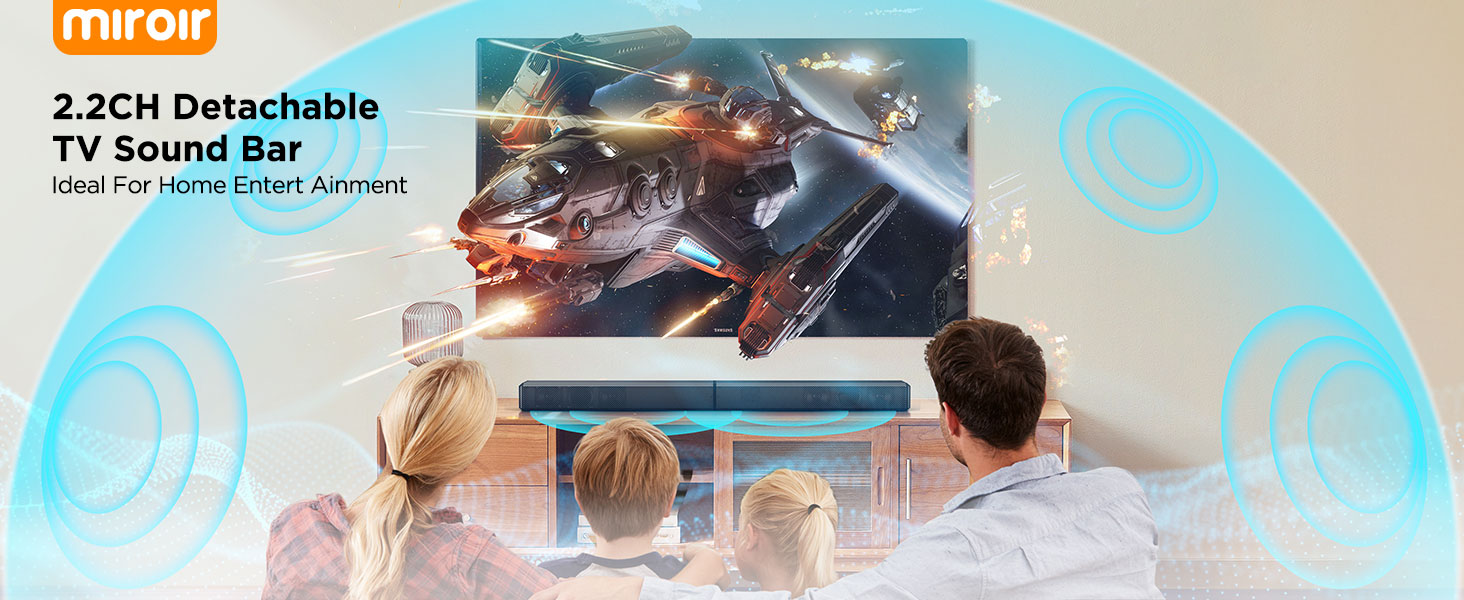
2.2ch Sound Bar for Smart TV


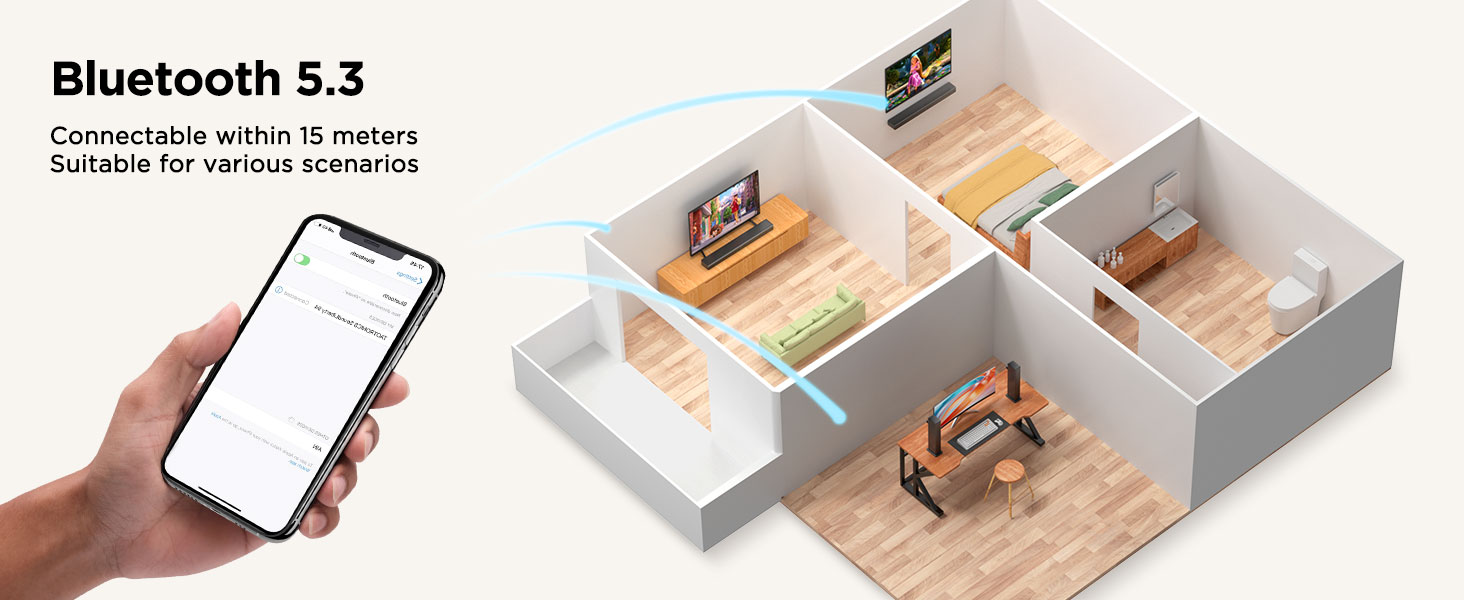
Methods for Bluetooth connection and LED light status display
1. Upon powering on, pairing will automatically begin when switching to Bluetooth. The LED will display the Bluetooth “bt” symbol flashing slowly, indicating successful Bluetooth pairing.
2. The LED will display the Bluetooth “bt” symbol solid, indicating a successful connection between the phone and the device.
3. Press and hold the “SOURCE” button on the device for 3 seconds, or press and hold the “BT” button on the remote control for 3 seconds, or turn off Bluetooth on the device. The LED will display the Bluetooth “bt” symbol flashing slowly, indicating a Bluetooth disconnection.
4. After the Soundbar is powered off and then restarted, the LED will display the Bluetooth “bt” symbol flashing slowly and then solid, indicating automatic Bluetooth reconnection to the phone.
5. Disconnecting Bluetooth at a distance and returning to a distance of 3 meters will display the Bluetooth “bt” symbol flashing slowly and then solid, indicating a successful Bluetooth reconnection.
6. After disconnecting Bluetooth, the LED will display the Bluetooth “bt” symbol flashing slowly, indicating entry into pairing mode.
Troubleshooting:
1. If the connection fails, repeat the above steps.
2. If there is no sound after connecting, delete the Bluetooth device name on your phone and repeat the above steps.


Reviews
There are no reviews yet.